
SportyCloud5.50 - Google Play
You'll be able to see results in few seconds.
Publisher Description
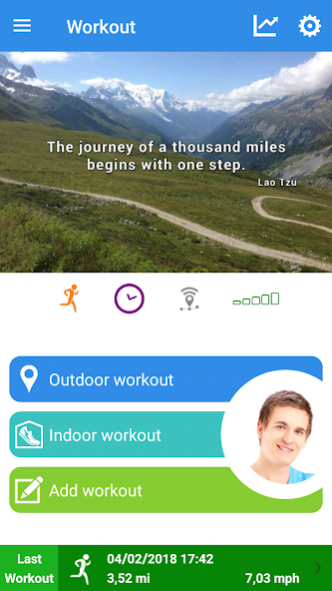
Personal trainer for outdoor and indoor sports activities.
Track your performances and share them!
- The vocal coach and motivational quotes that are offered will help you during your workouts to achieve your goals
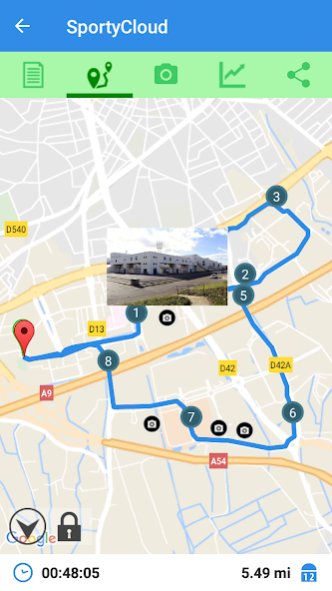
- GPS tracking outdoor workouts
- Invite your friend to follow you and to encourage you live!
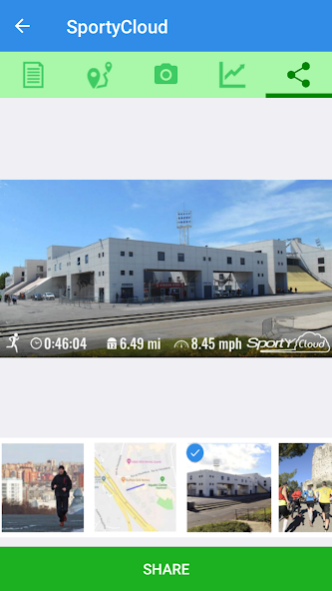
- Take pictures to personalize your workouts and easily share them
- Manual workout creation to report your workouts done without your smartphone
- Specific internal workout management screen (treadmill, weights, elliptical, fitness equipment)
- Calculate burn calories during workout
- Calculate your heart rate zones and generate a graph of effort
- Workout comparison
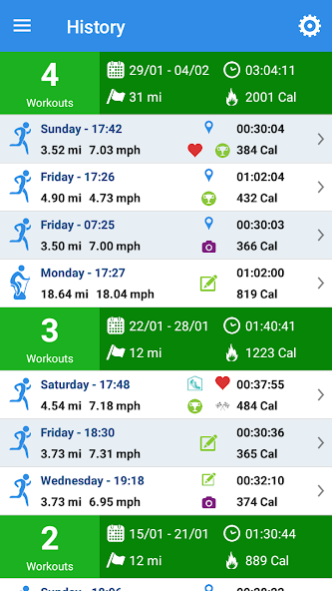
- Advanced statistics grouped by time and a fun statistical mode that will show you the benefits of sport!
- Calculate and follow your weight, ideal weight, Body Mass Index, Basal Metabolism and Recommended Daily Apport with graphics
- Classify your workouts and group them according to your practice (training, competition, recovery etc)
- Define workout objective from one over five objective available : distance, duration, burned calories, distance and duration, speed
- Works with the main heart rate monitors on the market
Create a free account to use SportyCloud!
Subscription payment will be charged to your Google account at confirmation purchase.
Subscription are NOT automatically renewed. Once your subscription is over, you can purchase a new subscription if you wish.
Continued use of GPS running in the background can dramatically decrease battery life.
About SportyCloud
The company that develops SportyCloud is N-Gine Innovation. The latest version released by its developer is 5.50.
To install SportyCloud on your Android device, just click the green Continue To App button above to start the installation process. The app is listed on our website since 2019-02-13 and was downloaded 0 times. We have already checked if the download link is safe, however for your own protection we recommend that you scan the downloaded app with your antivirus. Your antivirus may detect the SportyCloud as malware as malware if the download link to com.ngine.sportycloud is broken.
How to install SportyCloud on your Android device:
- Click on the Continue To App button on our website. This will redirect you to Google Play.
- Once the SportyCloud is shown in the Google Play listing of your Android device, you can start its download and installation. Tap on the Install button located below the search bar and to the right of the app icon.
- A pop-up window with the permissions required by SportyCloud will be shown. Click on Accept to continue the process.
- SportyCloud will be downloaded onto your device, displaying a progress. Once the download completes, the installation will start and you'll get a notification after the installation is finished.
Program Details
System requirements
Download information
Pricing
Version History
version 5.50
posted on 2019-02-13
Take pictures during your workout and share them!
Faster workout saving
Simpler sign-up procedure
Optimizations and bug fixes
version 5.40
posted on 2017-09-07
Optimizations
version 3.65
posted on 2015-09-10
Disclaimer
Official Google Play Link
We do not host SportyCloud on our servers. We did not scan it for viruses, adware, spyware or other type of malware. This app is hosted by Google and passed their terms and conditions to be listed there. We recommend caution when installing it.
The Google Play link for SportyCloud is provided to you by apps112.com without any warranties, representations or guarantees of any kind, so access it at your own risk.
If you have questions regarding this particular app contact the publisher directly. For questions about the functionalities of apps112.com contact us.
